





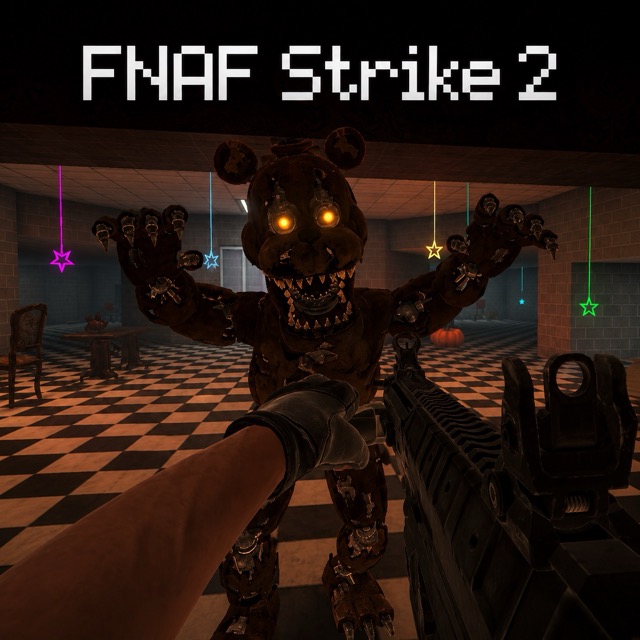
FNAF Strike 2
Fight animatronics through dark corridors and find a route out without letting the combat trap you.
About FNAF Strike 2
FNAF Strike 2 is a first-person shooter in which hostile animatronics interrupt your search for an exit. Progress requires clearing enough space to navigate, not simply firing at every visible figure from one position.
The important trade-off is between a useful firing angle and an escape route. A corridor can concentrate enemies in front of you, but it becomes dangerous if you back into a dead end while reloading.
How to Play FNAF Strike 2
Explore the current area, fight the threats that block your route, and search for the exit. Check your equipment before entering a narrow space or beginning another sustained encounter.
Controls
| Input | Action |
|---|---|
| WASD / mouse | Move / look |
| Left mouse button | Shoot |
| R / mouse wheel | Reload / change weapon |
| Shift / C / Space | Run / crouch / jump |
| G | Grenade |
The first level starts with Health 100 and an ammunition display of 20/999. Check those indicators before an encounter, then compare them afterward instead of assuming the starting values still apply.
Corridor tactics
- Create room to reload before the nearest enemy reaches you.
- Check the turn behind your firing position so retreat does not end at an unexpected wall.
- After an encounter, resume the exit search; an empty corridor is useful because it opens a route forward.
Move through a corridor in stages
Before entering a narrow passage, notice where you can turn or retreat. A corridor can keep enemies in front of you, but it can also make a reload dangerous if your back is already against a wall. Fire to clear enough space to move, then check the next passage instead of staying focused on a defeated target.
Read health and ammunition separately
The first level begins with Health 100 and an ammunition display of 20/999. Compare both indicators after an encounter: health describes the cost of taking damage, while the ammunition display tells you about your current firing capacity and reserve. Use R to reload and the mouse wheel to change weapons. If you need to reload, first create distance from the nearest attacker; reloading does not itself create an escape route.
Frequently asked questions
Is the objective just a score? Fight through the environment and find an exit.