














Live FNAF4.io

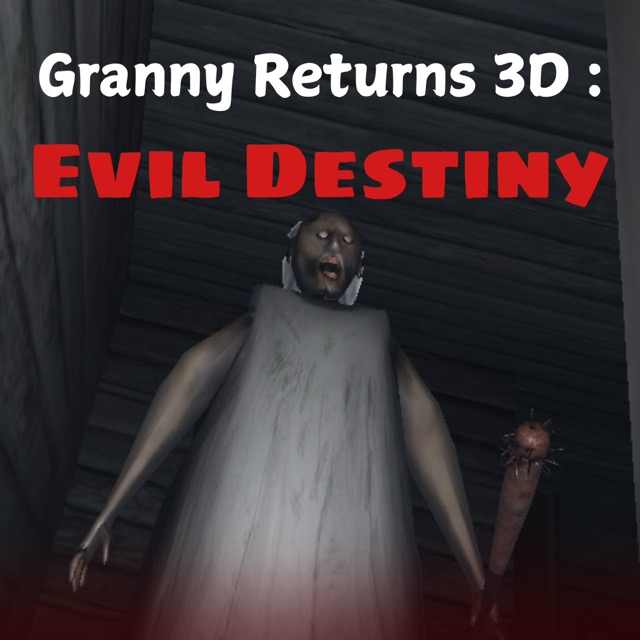
Granny Returns 3D : Evil Destiny

Browser Instant Play Escape - Horror

New Drops

See all

Game Description

Granny Returns 3D : Evil Destiny gameplay

Granny Returns 3D: Evil Destiny

1. Game Overview

Granny Returns 3D: Evil Destiny brings the Granny horror formula into a fully realized three-dimensional environment, and the upgrade is immediately felt. The shift from 2D or top-down perspectives to genuine 3D space fundamentally changes how the game's tension works — when Granny can be anywhere in a fully three-dimensional room, the corners you can't see from your current position become a source of constant ambient dread rather than simply unexplored territory. Depth, height, and spatial positioning all become meaningful, and the hide-and-seek mechanic takes on new complexity when "hidden" is no longer a binary state.

The environment is a detailed 3D setting with multiple rooms and hidden areas filled with traps, special items, and the puzzles that gate your escape. The combat element — available through mouse-based shooting — gives Granny Returns 3D a dimension absent from the Granny Horror series: the ability to fight back, not just hide. This doesn't make Granny less threatening; it creates a different kind of tension where the choice between confrontation and concealment is a genuine tactical decision rather than a predetermined one.

The puzzle design adds a layer of complexity that keeps the gameplay from resolving into simple Granny avoidance. Solutions require finding the right items in the right locations and applying them in the right sequence — a process that demands thorough exploration of the 3D space rather than a quick perimeter check. As players advance through multiple levels, new challenges and environments are introduced that keep the experience from settling into routine. The immersive sound design ensures that the 3D audio environment matches the visual one — Granny's presence is audible before it's visible, making sound monitoring as important as visual awareness.

Key Details:

Field Info
Genre 3D Stealth Survival Horror / Action-Escape
Difficulty Level — Medium to Hard
Average Play Time 20–40 minutes per level
Best For Granny horror fans wanting a 3D experience, action-stealth hybrid players, puzzle-escape enthusiasts

2. How to Play

Getting Started:

  1. Enter the 3D environment and use mouse-look combined with WASD to orient yourself fully in the three-dimensional space before Granny becomes active.
  2. Use E to interact with objects and enter hiding spots — the 3D environment has more spatial nuance around concealment than 2D versions of the formula.
  3. Press Q to unhide when you're confident Granny has moved away from your position.
  4. Use the mouse to shoot when engagement becomes necessary — right-click to aim before firing for improved accuracy.
  5. Navigate the puzzle sequence by collecting items and using O to examine objects more closely before deciding how to use them.

Basic Controls:

  • WASD — Move through the 3D environment
  • Mouse — Look around and aim
  • Left Shift — Run
  • Space — Jump
  • C — Crouch
  • E — Interact with objects or enter a hiding spot
  • Q — Unhide from cover
  • O — View/examine an object closely
  • G — Drop an item
  • R — Reload weapon
  • Mouse — Shoot (left click) / Aim (right click)

Objective: Escape the 3D environment by solving puzzles, collecting items, and surviving Granny's pursuit. Use the three-dimensional space to your advantage — find hiding spots with good sightlines, use spatial depth to create distance, and fight back when concealment isn't viable. Progress through multiple levels with escalating challenges.

3. Game Features & Highlights

Full 3D environment — Three-dimensional space that makes spatial reasoning, depth awareness, and corner-checking genuinely meaningful to survival

Combat capability — Mouse-based shooting gives players the option to engage Granny directly, creating a stealth-or-fight decision that previous entries don't offer

Object examination system — Press O to closely inspect items before use, adding an investigative layer to item collection

Unhide mechanic with player controlQ to emerge from hiding gives players agency over when they consider it safe to resume movement

Multiple levels with new environments — Progressive challenge across distinct environments that keep gameplay fresh beyond the initial escape sequence

4. Tips & Strategies

Beginner Tips:

  • Use O to examine items you find before assuming their purpose — some items serve functions that aren't immediately obvious from appearance, and the close examination reveals usage context that prevents puzzle dead ends
  • In the 3D environment, check corners and areas behind you more frequently than 2D Granny games require — Granny can approach from any direction in three-dimensional space, and the larger blind-spot area demands more active spatial monitoring
  • Don't emerge from hiding (Q) until Granny's audio presence has been absent for a noticeable pause — in the 3D environment, sound distance cues are more spatially complex than in flat environments, requiring a slightly more conservative wait time before it's safe to move

Advanced Strategies:

  • Use the jump mechanic (Space) and the 3D environment's vertical elements to access areas Granny can't easily reach or follow — height advantage is a uniquely 3D tool that flat Granny games don't offer
  • When choosing between hiding and shooting, consider your ammunition level relative to the number of levels remaining — shooting provides immediate safety but depletes a resource that becomes more valuable in later levels
  • Learn each level's trap locations using the object examination system (O) on suspicious floor areas before walking through them — the 3D environment makes trap positions harder to read at a glance than flat environments

What to Watch Out For:

  • 3D spatial disorientation — First-person navigation in a multi-room 3D environment is more disorienting than the equivalent in 2D games; invest in learning the spatial layout of each level before moving quickly through it, as getting lost near Granny is particularly dangerous
  • Shoot-first habits depleting ammunition — The combat option makes shooting feel like the reliable solution, but ammunition is finite and Granny returns; developing a shoot-only-when-necessary discipline preserves resources for situations where combat is genuinely the better choice

5. Game Elements Explained

The 3D Environment and Spatial Awareness: The transition to a fully three-dimensional environment is not purely cosmetic — it substantively changes what survival requires. In flat Granny games, threat direction is limited to two dimensions; in Granny Returns 3D, Granny can approach from any point in three-dimensional space, including positions above and below your current line of sight depending on the level's geometry. This expands the effective blind-spot area that players must account for and makes corner-checking a more comprehensive habit than the equivalent in 2D. The hiding system similarly gains complexity: a hiding spot that provides cover from one direction in a 3D room may not provide it from another, making the choice of hiding position — not just whether to hide — a meaningful spatial decision. Players who develop genuine three-dimensional awareness of their position and Granny's position consistently outperform those who apply 2D Granny thinking to a 3D space.

Combat and the Shoot-or-Hide Decision: The introduction of mouse-based shooting as a viable response to Granny makes Granny Returns 3D fundamentally different from the pure stealth formula of other entries. This doesn't make the game easier — it creates a genuine tactical tension around whether to engage or conceal in each encounter. Shooting requires ammunition, which is finite and collected during exploration; each round used in an engagement is a round not available in later levels. Hiding requires time, a valid concealment position, and the patience to wait out Granny's search behavior. The decision between them changes based on your current ammunition level, the quality of available hiding spots in the current area, how close Granny is, and how much of the current level's puzzle sequence remains incomplete. Neither option is always correct — developing the judgment to choose correctly in context is the game's highest-level skill.

Object Examination and Puzzle Integration: The O key examination system adds an investigative layer to item collection that previous Granny games typically don't include. Rather than picking up items and immediately knowing their function, players can hold an object up for close examination before deciding how to use or deploy it. This serves both gameplay and atmosphere: gameplay-wise, it reveals usage context for items whose function isn't immediately obvious from appearance alone; atmospherically, it grounds the horror in a tactile relationship with the environment's objects that makes the house feel more genuinely inhabited and its contents more meaningful. The puzzles that gate escape progression are built around this examination system — some solutions require noticing details on an object that only close inspection reveals, making the habit of examining unfamiliar items before assuming their purpose a consistent contributor to puzzle progression.

6. Frequently Asked Questions

Q: How do I use the object examination feature? A: Press O while holding or near an object to enter a close-examination view. Rotate and inspect the object for markings, components, or contextual details that clarify its purpose. Some items have usage-relevant details only visible in close examination that aren't apparent from the standard inventory view.

Q: When should I shoot Granny versus hide from her? A: Choose shooting when hiding spots in your immediate area are inadequate and Granny is close enough that attempting to reach a better hiding position would expose you further. Choose hiding when you have a valid concealment position accessible and sufficient distance to reach it before Granny closes in. Prioritize hiding on later levels when ammunition conservation becomes more important.

Q: Is Granny Returns 3D compatible with mobile or touchscreen devices? A: Granny Returns 3D uses WASD movement, mouse-look, and multiple keyboard bindings for its full control scheme. The 3D first-person perspective and precision required for combat and puzzle interaction make desktop or laptop play strongly recommended. Touchscreen input is not suited to the control scheme.

Q: Can I save progress between levels? A: Progress is typically saved upon level completion. Exiting mid-level may require restarting from the beginning of that level. Check the main menu for a continue option when returning to the game.

Q: How do bear traps work in the 3D environment? A: Bear traps are placed on the floor in areas you need to traverse. The 3D perspective makes them harder to spot than in flat Granny games — use the object examination view (O) to inspect suspicious floor areas before walking through them. If caught, you will be immobilized and Granny will respond to the noise; prioritize freeing yourself (F if available, or the appropriate interaction key) and immediately finding cover.

7. Related Games You Might Enjoy

If you like Granny Returns 3D : Evil Destiny, you might also enjoy:

  • The House Of Evil Granny - A stealthy house-horror game where careful movement and escape planning matter.
  • Granny Horror 2 - A stealthy house-horror game where careful movement and escape planning matter.
  • Granny House - A stealthy house-horror game where careful movement and escape planning matter.